 CUBILT
Built for the people
who build.
Cubilt brings teams together for the effective completion of construction projects.
Replace scattered emails, attachments, spreadsheets and minutes with one organised platform.
Trusted by construction teams
What's included
Everything a construction project needs
Built by project managers who were frustrated with generic tools. Every feature solves a real problem from the field.
Task-Based Messaging
Turn your inbox into an action list. Assign actions to every outgoing message so nothing slips through the cracks.
Track Key Project Issues
Link messages, minutes and documents to any issue. AI keeps a live status, open actions and full chronology, so anyone can see where it's at and who has the ball.
Punch Lists & Defects
Log issues in the field, attach photos, assign trades and track rectification to completion — all in one live database.
Drawing & Document Control
Full version control, permission-based approvals and instant access to the current set — always.
Powerful Filtering
Label-based filing means every file and message lives in multiple places without duplication. Find anything instantly.
Unlimited Users
Add your entire team, supply chain and client — all plans include unlimited users. Software is only useful when everyone's on it.
A closer look
How Cubilt works
Each module is built around real construction workflows — not adapted from generic project management software.
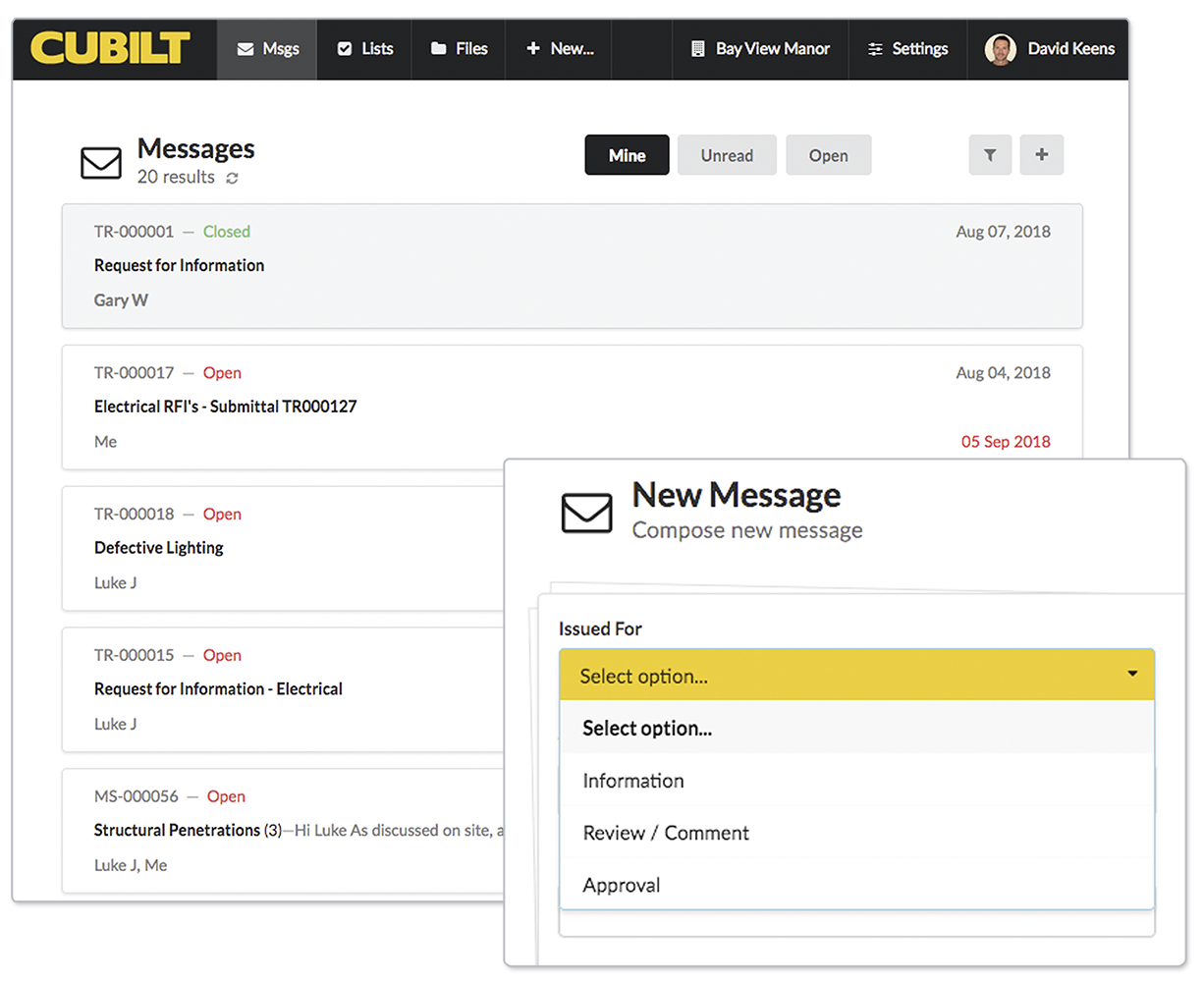
Messaging
Your inbox tells you exactly what needs doing
Conventional email doesn't tell you if there are open actions. Cubilt's task-based messaging keeps every thread attached to an action — open or closed, due or overdue.
- Assign actions to any outgoing message
- Filter by open actions, team member or due date
- Clear Approve / Reject responses end ambiguous replies
- Ideal for variations, EOTs, and verbal instruction confirmations
RFIs
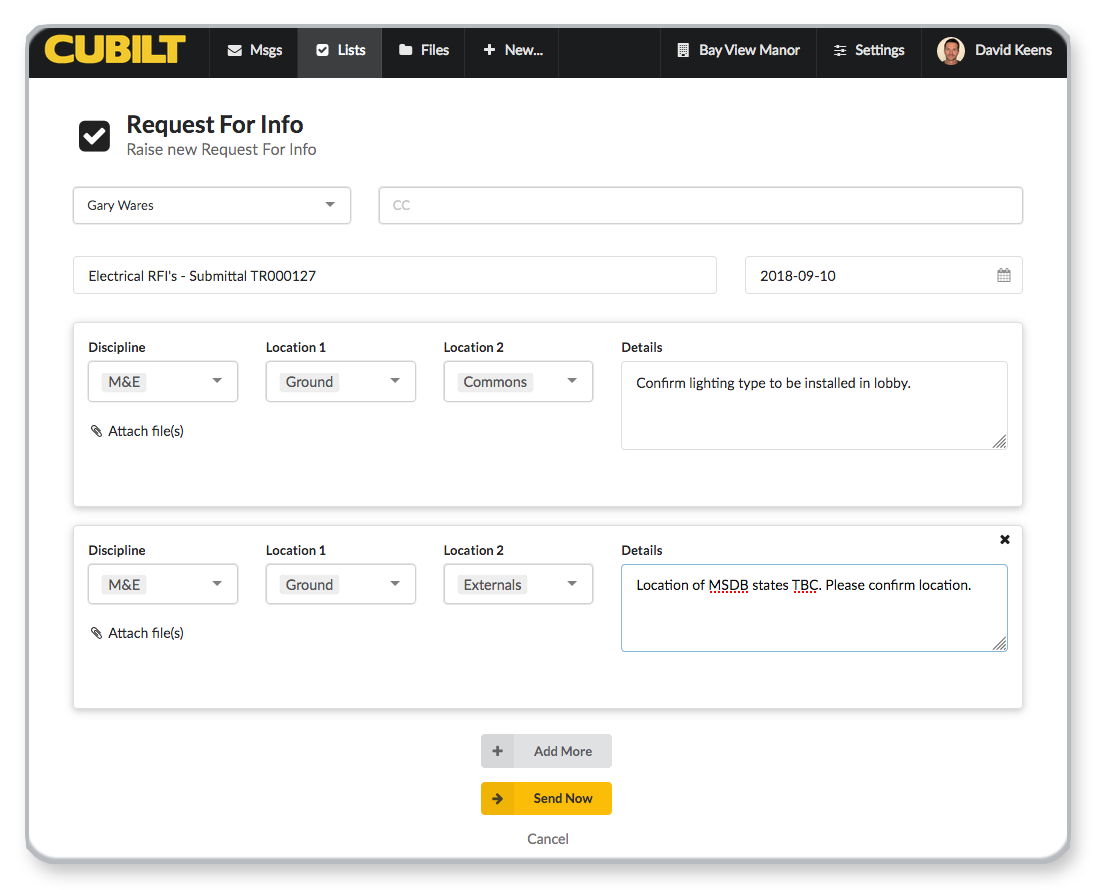
Raise, track and close RFIs without the admin overhead
Delays in closing RFIs cost the building industry millions every year. Cubilt automates the process so your team spends time on the project, not the paperwork.
- Raise multiple RFIs in a single transmittal
- BIC (ball-in-court) status always shows who has action
- Forward RFIs to additional parties without them seeing the full thread
- Filter by status, area, discipline, trade, sender or due date
Drawings & Documents
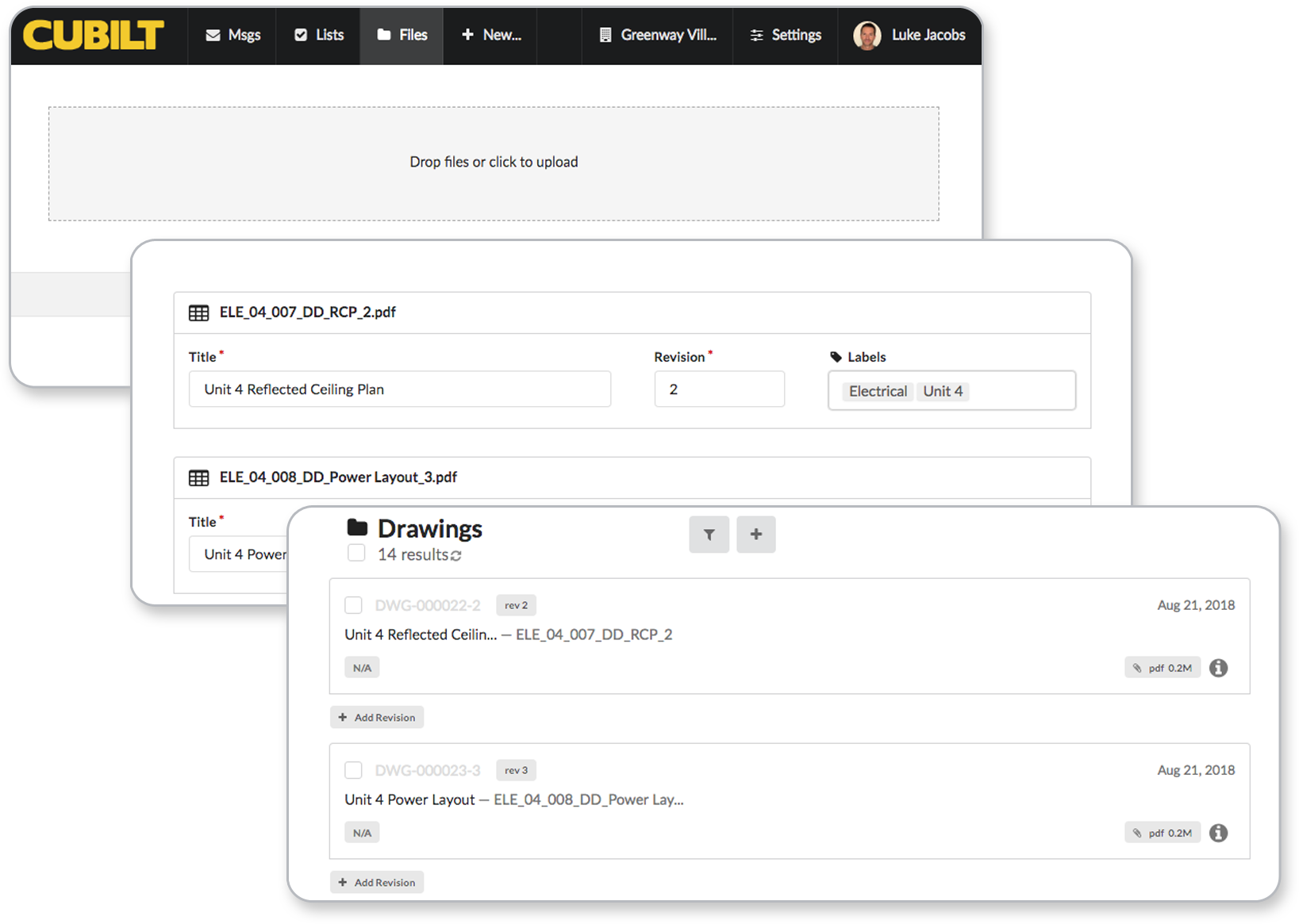
One source of truth for every revision
Is your team building to the latest set? Cubilt gives everyone confidence with full version control, an audit trail and permission-based drawing approvals.
- Drag-and-drop upload — revision in seconds
- Latest revision always front and centre; history one click away
- Approve / Approve with comments / Reject workflow built in
- Large file support with easy access from any device
"I love that best practices — like a single Ball In Court — are built directly into the software."Construction Project Manager, early access user
Pricing
Start free. Scale as you grow.
All plans include unlimited users and unlimited projects. Pay only for what your team actually uses.
Preview
forever
- 1 GB storage
- Unlimited users
- Unlimited projects
- Full messaging & RFI tools
- Drawing & document control
- Punch lists
Pro
per project / month
- 50 GB storage
- Unlimited users
- Unlimited projects
- Everything in Preview
- Cost control module
- Priority support
Enterprise
contact us for pricing
- Unlimited storage
- Unlimited users & projects
- Everything in Pro
- Custom integrations
- Dedicated support
- SLA & custom contracts
All plans: unlimited users · unlimited projects · no credit card to start
See it in action
Watch Cubilt in action
Sign up and explore — or watch one of our feature walkthroughs below.
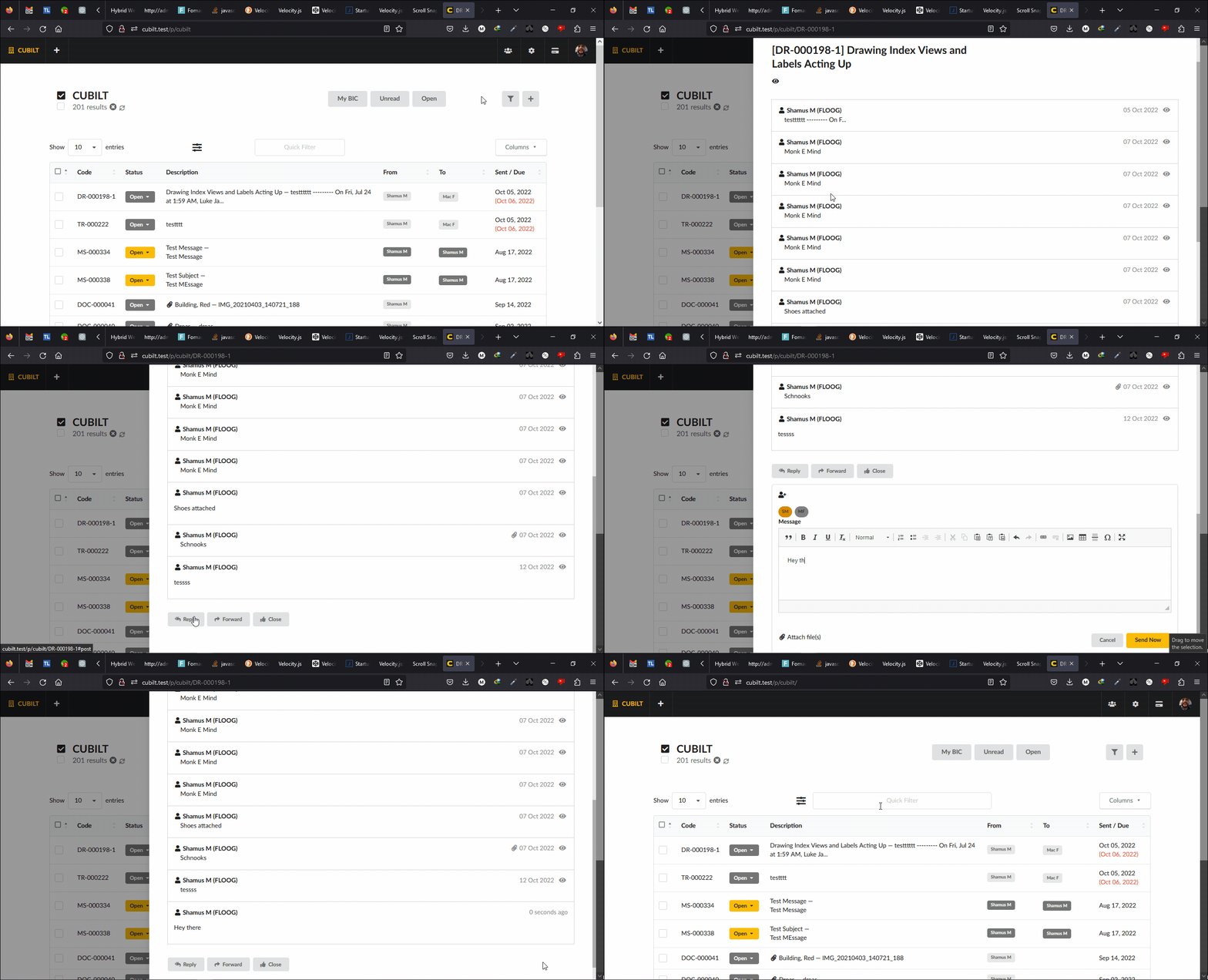
Reply to a thread without losing your place · Dark mode included
Start your first project today
Free forever on the Preview plan. No credit card, no lock-in.
Takes about 2 minutes to set up your first project